












Croco Casino App: iOS / Android Download Guide
Does Croco Casino Have a Dedicated Mobile App to Download?
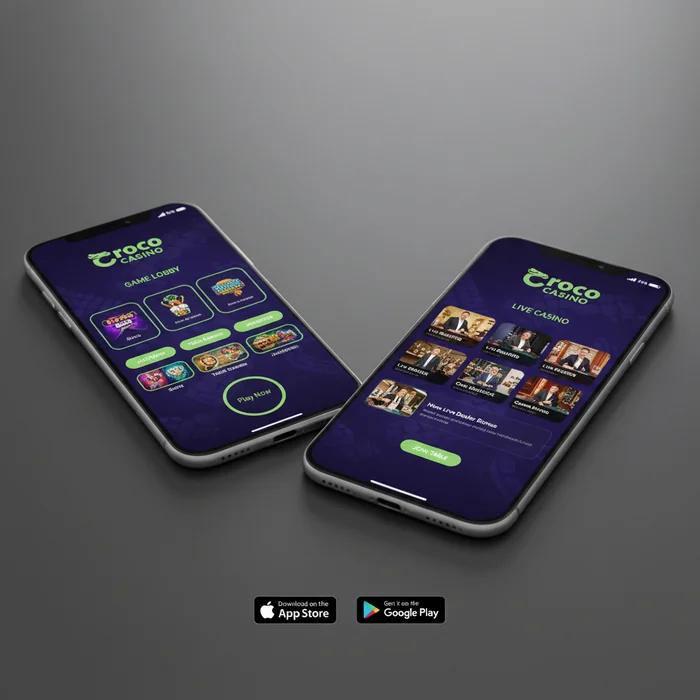
Thinking about playing at Croco Casino from your phone — but not sure whether there's an actual app to download or whether you'll be stuck squinting at a desktop site? We get that question constantly, and the honest answer is worth reading before you commit any time to searching the App Store.
As of 2026, Croco Casino does not offer a native downloadable app through the Apple App Store or Google Play. What we do offer is a fully optimised mobile browser experience that loads directly at crococasinoplay.com on any modern smartphone or tablet. No installation, no storage permissions, no APK sideloading required — you open your browser, log in, and you're playing within seconds. For the vast majority of our players, this is the faster and more practical route.
Native App Availability on iOS and Android Devices
There is no Croco Casino download available through the App Store or Google Play in 2026. This is a deliberate approach — maintaining a dedicated native app across two ecosystems requires constant updates and platform compliance reviews, which can slow down feature rollouts. Our mobile browser version receives updates instantly, meaning you're always playing on the most current version without needing to manually update anything.
Android users looking for a Croco Casino Android APK file won't find one distributed through official channels either. We strongly advise against downloading any third-party APK claiming to be the Croco Casino app — these are not affiliated with us and pose a security risk to your device and account details.
For Croco Casino iOS players, the situation is identical. No App Store listing exists. What does work exceptionally well is adding the site to your home screen via Safari's "Add to Home Screen" feature, which creates a shortcut that behaves almost identically to a native app — full-screen launch, no browser chrome, and faster access to your account.
How the Instant-Play Browser Version Compares to a Downloaded App
The browser-based approach actually holds up well against native apps in most practical scenarios. Loading times on a 4G or Wi-Fi connection are comparable to what you'd expect from a downloaded app, and the touch interface has been designed specifically for smaller screens — buttons are sized for thumbs, not mouse cursors.
Where a native app would have a genuine edge is push notifications. A downloaded app can alert you to a new daily free spins offer or a weekend deposit bonus without you opening anything. Our mobile browser version doesn't send push notifications, which means staying on top of time-limited offers requires checking your email or visiting the bonus page directly. That's a real limitation worth knowing upfront.
| Platform | Minimum Version | Access Method | Estimated Load Size |
|---|---|---|---|
| iOS (Safari) | iOS 14+ | Mobile browser / Home Screen shortcut | ~2–4 MB cached |
| Android (Chrome) | Android 8.0+ | Mobile browser | ~2–4 MB cached |
| Windows (Chrome/Edge) | Windows 10+ | Desktop browser | Standard page load |
| Mobile Browser (Any) | Any modern browser | crococasinoplay.com | ~2–4 MB cached |
| Tablet (iOS/Android) | Same as phone OS | Mobile browser | ~2–4 MB cached |
Playing 350+ Pokies and Table Games on Mobile at Croco Casino
The full catalogue of 350+ pokies and table games is accessible through the mobile browser — we haven't created a stripped-down mobile version with a reduced library. Whether you're after a quick five-minute session on a video pokie or a longer live blackjack hand, the same titles available on desktop are right there on your phone.
Game Performance, Load Times, and Touch Controls on Smartphones
Pokie games load in roughly 3–6 seconds on a stable 4G connection, which sits within the acceptable range for browser-based casino games. Graphics-heavy titles with complex animations may take slightly longer on older handsets — if you're on a device more than four years old, expect occasional stuttering during bonus rounds with heavy visual effects.
Touch controls have been mapped thoughtfully across the catalogue. Spin buttons, bet adjusters, and autoplay toggles are all large enough to tap accurately without zooming in. Table games like roulette and blackjack render cleanly in portrait mode, though we'd recommend landscape orientation for live dealer tables where you want to see the full camera feed alongside the betting grid.
One honest limitation: multi-tabling — running two or three pokie windows simultaneously — isn't practical on mobile. The browser handles one game session at a time without meaningful performance degradation, but attempting to tab between active sessions will cause the inactive game to pause and reload. For players who prefer running multiple games at once, desktop is the right environment.
| Feature | Mobile | Desktop | Winner |
|---|---|---|---|
| Game selection | 350+ titles | 350+ titles | Tie |
| Loading speed | 3–6 sec (4G) | 2–4 sec (broadband) | Desktop (slightly faster) |
| Live casino access | Full access | Full access | Tie |
| Bonuses available | Same offers | Same offers | Tie |
| Payment methods | Most available | All available | Desktop (slightly more) |
| Multi-tabling | Not practical | Easy | Desktop |
| Push notifications | Not available | Not available | Tie (neither) |
| Screen size for live games | Smaller, sharp | Larger display | Desktop (live tables) |
| Convenience / portability | Play anywhere | Fixed location | Mobile |
Mobile Deposits and Withdrawals: Bitcoin, E-wallets, and Cards on the Go
Managing your bankroll from a phone is one of the areas where the Croco Casino mobile experience genuinely delivers. The cashier section renders fully in mobile browsers — no pinching and zooming through a desktop layout — and the deposit flow from selecting a method to confirming a transaction takes under two minutes in most cases.
Our accepted deposit methods include Visa, credit cards, debit cards, e-wallets, Bitcoin, Litecoin (LTC), and Bitcoin Cash (BCH). For withdrawals, the available routes are Bitcoin, credit cards, and e-wallets. It's worth noting that not every deposit method doubles as a withdrawal method — if you deposit via debit card, confirm your preferred withdrawal route before you start playing.
How to Deposit a Minimum of $20 and Claim Bonuses From Your Phone
The minimum deposit at Croco Casino is $20. On mobile, the deposit process runs through the same cashier interface as desktop — tap your account icon, select "Deposit", choose your method, and enter your amount. The welcome bonus of 200% match up to $5,000 applies to your first deposit regardless of whether you're on mobile or desktop. At the minimum $20 deposit, that bonus generates $40 in bonus funds — useful for testing the platform, though the 60x wagering requirement means $20 in bonus funds requires $1,200 in total wagering before withdrawal. At the maximum $5,000 bonus, the math is $5,000 × 60 = $300,000 in wagering. Factor that into your expectations before depositing large amounts purely for the bonus.
E-wallets process deposits instantly, meaning your balance updates before you've closed the cashier tab. Card deposits are also typically instant, though occasional bank-side delays of 5–15 minutes can occur depending on your card issuer. Crypto deposits require blockchain confirmations — Bitcoin typically needs 1–3 confirmations, which translates to roughly 10–30 minutes depending on network congestion at the time of your transaction.
Crypto Withdrawal Speed When Using the Mobile Interface
Bitcoin withdrawals are the fastest exit route available at Croco Casino, and initiating one from mobile is identical to the desktop process. Navigate to the cashier, select "Withdraw", choose Bitcoin, enter your wallet address, and confirm. Processing on our end typically completes within 24 hours; after that, blockchain confirmation time depends on network conditions.
Credit card and e-wallet withdrawals follow a similar internal processing window. One limitation worth stating clearly: withdrawal options are narrower than deposit options. If your preferred payment method isn't available for withdrawals, you'll need to set up a Bitcoin wallet or use a supported e-wallet before your first cashout request. Doing this setup in advance — on desktop where form fields are easier to navigate — saves frustration later when you're trying to withdraw on mobile.
Step-by-step: Crypto deposit on mobile
- Open crococasinoplay.com in your phone's browser and sign in to your account
- Tap the cashier / deposit section from your account menu
- Select Bitcoin, LTC, or BCH as your deposit method
- Copy the wallet address displayed (or scan the QR code with your crypto wallet app)
- Send your deposit from your wallet — minimum $20 equivalent
- Wait for blockchain confirmation (typically 10–30 minutes for Bitcoin)
Mobile Support and Account Management From Any Device
Reaching support or checking your account status shouldn't require switching to a laptop. We've ensured that every account management function — from checking your bonus balance to updating your payment details — is accessible through the mobile browser without layout issues or missing functionality.
Accessing 24/7 Live Chat Through the Mobile Browser
Live chat support runs 24 hours a day, 7 days a week, and it's fully functional on mobile. The chat widget loads in the corner of the browser window and doesn't interfere with the game you have open — you can keep a pokie running while typing your query. Response times through live chat are typically faster than email, making it the recommended channel for anything time-sensitive like a pending withdrawal or a bonus that hasn't applied correctly.
One practical note for mobile users: if you're on a slow connection, the chat widget may take an extra few seconds to initialise. On 3G or a weak signal, give it 10–15 seconds before assuming it hasn't loaded. Switching to a stronger connection resolves this in virtually every case.
Managing VIP Status and Checking Bonus Balances on a Small Screen
Croco Casino's VIP programme runs across three tiers — JuniorCroco, SuperCroco, and RoyalCroco — and your current tier, available daily bonuses, and cashback status are all visible from the account dashboard on mobile. JuniorCroco members receive a 125% daily bonus plus 30 free spins; SuperCroco unlocks a 150% daily bonus with 35 free spins; and RoyalCroco members access a 200% daily bonus with 30 free spins, alongside cashback calculated on the loyalty ladder.
Checking your active bonus balance and remaining wagering requirements is straightforward on mobile — the account section displays these figures clearly without needing to navigate multiple sub-menus. If you're approaching a VIP tier upgrade, the dashboard shows your progress, which is useful context before deciding whether to make a deposit to push over the threshold.
Account management tasks like updating your email address, changing your password, or reviewing your transaction history are all accessible on mobile. The transaction history table does compress on smaller screens — if you need to review a detailed breakdown of multiple transactions, a tablet or desktop gives you a cleaner view. For quick balance checks and bonus claims, your phone handles everything without compromise.
What you can do from mobile without any limitations:
- Deposit via e-wallet, card, or crypto (minimum $20)
- Claim your welcome bonus and daily VIP bonuses
- Play all 350+ pokies and table games
- Access live dealer tables in landscape mode
- Contact 24/7 live chat support
- Check VIP tier status and cashback balance
- Initiate Bitcoin, e-wallet, or card withdrawals
Ready to experience the full Croco Casino mobile platform for yourself? Sign up now and your first deposit of $20 or more qualifies for the 200% welcome match — claimable directly from your phone in under three minutes. Act now before the current welcome offer terms change — limited-time bonus structures like this one are subject to revision, and locking in your account today means you're covered under the current conditions. Croco Casino is built for players who want a full casino experience without being tied to a desktop.